PREMIUM
Loan AI Assistant: calculator and payment plan suggestions
You describe the customer's situation in one sentence; the Loan AI Assistant suggests which calculator and which payment plan to start from, and asks for anything that is missing. It works in the app, under Loans on the Calculate screen, and in the member portal, with Bankacı Premium.
Updated: 19 October 2026
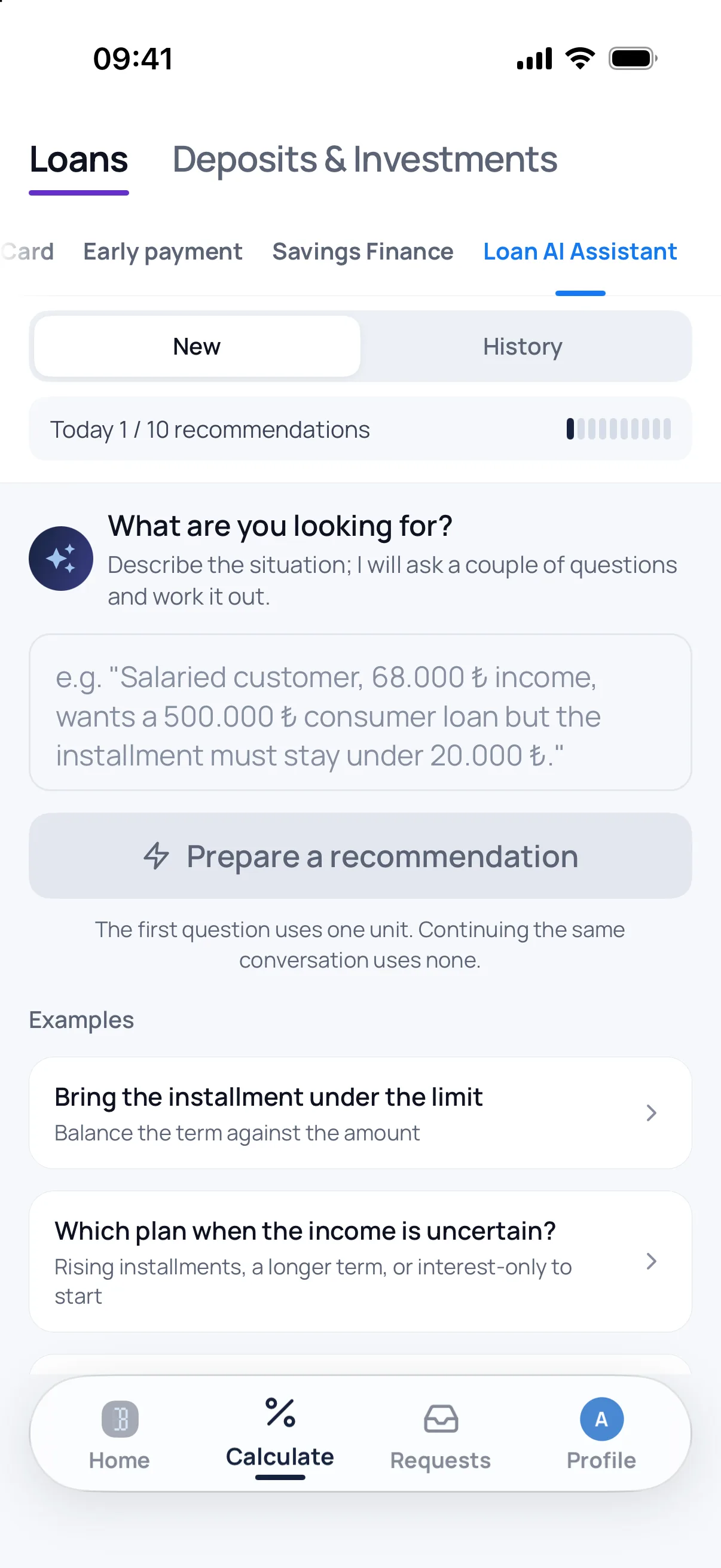
One sentence is enough
Describe the case in your own words, for example "wants to pay the least interest overall, 200 thousand, 12 months". Typos, and Turkish typed without Turkish characters, are read as well. When a borrower describes their own situation, the assistant speaks to them directly.
What it suggests
It names one of the calculators and, on personal and business loans, picks a payment plan too, such as a grace-period or increasing-instalment plan for someone whose first months are tight. When something is missing it asks first, one question at a time.
The calculator works out the figures
The instalment and totals on the card come from Bankacı's own calculation code. The card's button opens the calculator with the figures you wrote and the suggested plan selected. On a loan with no rate given, the 7-day average of rates Bankacı users entered is used when one is published, and the explanation says so; otherwise the assistant asks for the rate.
Legal limits and scope
The answer carries the BDDK limits: the maximum term by amount on personal loans, loan-to-value and term on vehicle loans, loan-to-value on housing loans. Each note shows the Board decision it rests on. The assistant only covers what Bankacı calculates and does not suggest foreign-currency or variable-rate loans.
Frequently asked
Is this feature free, and where does it work?
The Loan AI Assistant works with Bankacı Premium. It is a tab under Loans on the Calculate screen of the iOS and Android app and in the member portal; if you do not see it in the app, update the app.
Does the assistant give a rate or approve a loan?
No. It suggests where to start calculating and makes no promise about approval, a limit or a bank's decision. The average rate it may use comes from rates Bankacı users entered; it is not a bank's offer.
How many times a day can I use it?
The daily allowance is shown on screen and renews at midnight Turkish time; the Loan AI Assistant and the Investment AI Assistant share it. Carrying on in the same conversation, within 15 minutes of the last answer and for up to 8 messages, uses no new unit. If an error means no answer arrives, the unit is given back.
Where does what I write go?
What you write is sent to Anthropic (USA) for the answer, with nothing that identifies your account. Identity, tax, phone and card numbers, IBANs and e-mail addresses are masked before sending. Do not write the customer's name; the suggestion does not need it and names are not masked.
What if the assistant misreads?
The answer says in one line what the assistant understood; if it is wrong, correct it in the same conversation. It does not take an impossible figure such as "70000 ay" (70,000 months) as the term, and tells you so.
See also: Alternative payment plans · Loan amount from the instalment · Seven payment plans · Investment AI Assistant · BDDK legal limits on consumer credit in Turkey

Be ready for your next calculation.
Download Bankacı for free.
 Scan with your phonebankaci.app/indir