Home and your calculation side by side on iPhone Duo
Open the phone and Bankacı shows home on the left and the calculation you open on the right.
Updated: 2 November 2026
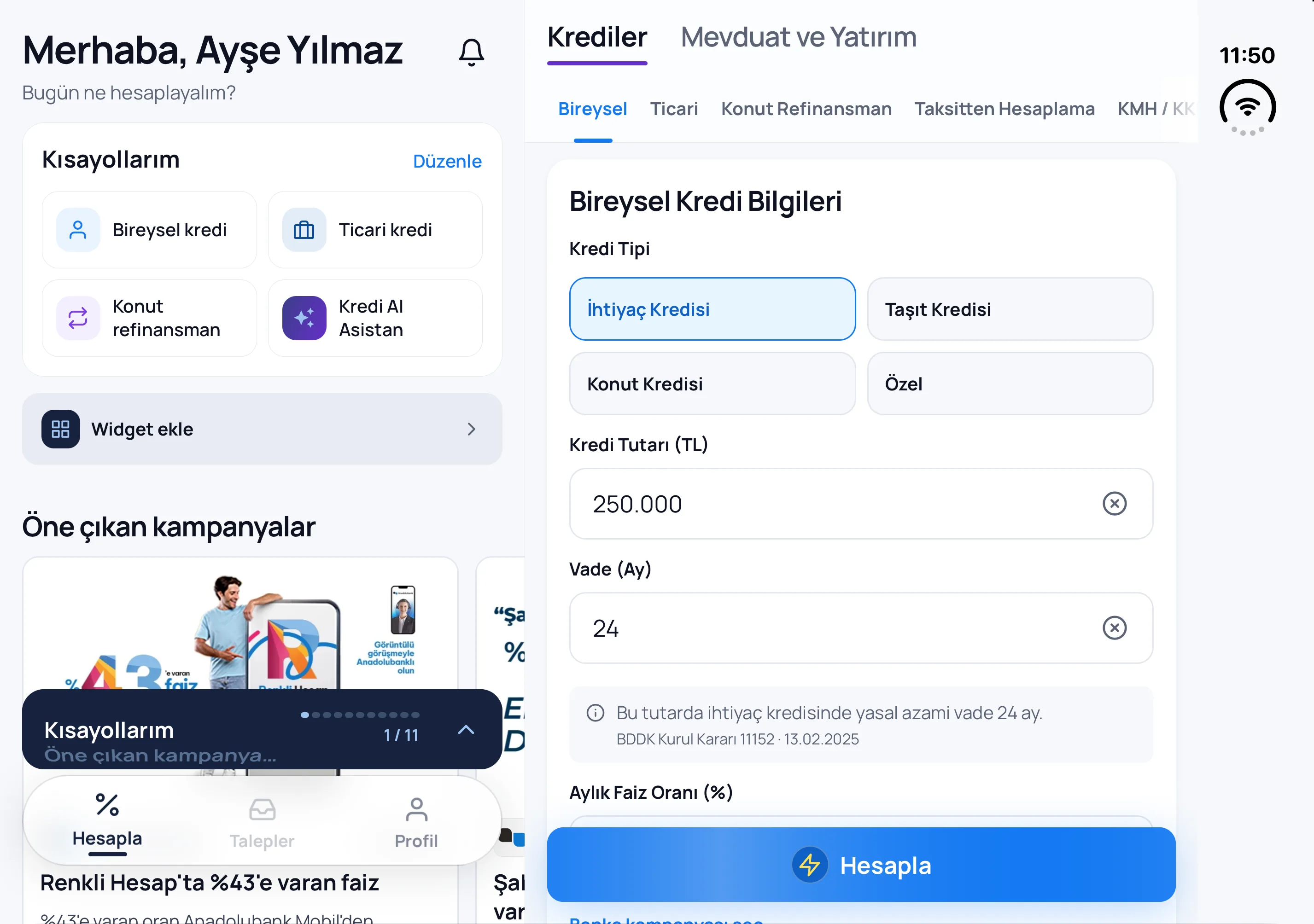
Side by side when it opens
When you open the phone, home stays on the left; the page you open from a shortcut or the tabs opens on the right. Talking to a customer, you see the offers and your recent calculations without switching pages.
Folded
Folded, Bankacı is the usual single screen. On a wide-screen iPad too, home and the page you open sit side by side.
Which version
iPhone Duo support came with Bankacı 4.4.1. Update from the App Store; there is nothing to switch on.
Frequently asked
Do I need Premium?
No. iPhone Duo support is for everyone; Premium features work the same way on both sides.
Do I have to switch something on?
No. Just open the phone; Bankacı looks at the screen's width and puts home and the page you open side by side by itself, and goes back to one screen when you fold it.
See also: Shortcuts and the home-screen widget · Retail loans: personal, vehicle and housing loan calculation · Calculate from WhatsApp

Be ready for your next calculation.
Download Bankacı for free.
 Scan with your phonebankaci.app/indir