PREMIUM
A WhatsApp message turns straight into a calculation
Share the message to Bankacı. The calculation opens with the amount and term filled in.
Updated: 2 November 2026
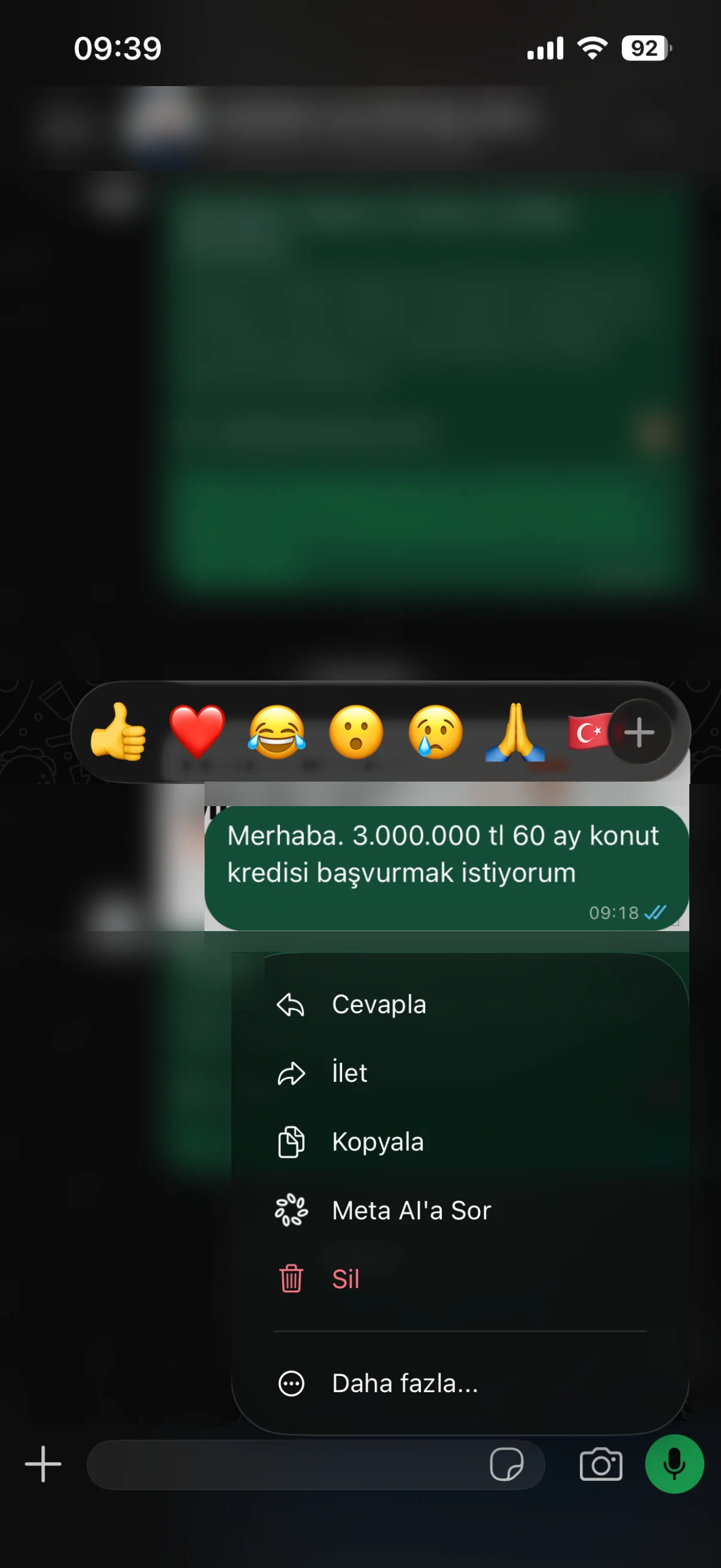
1Press and hold the message, select it with More
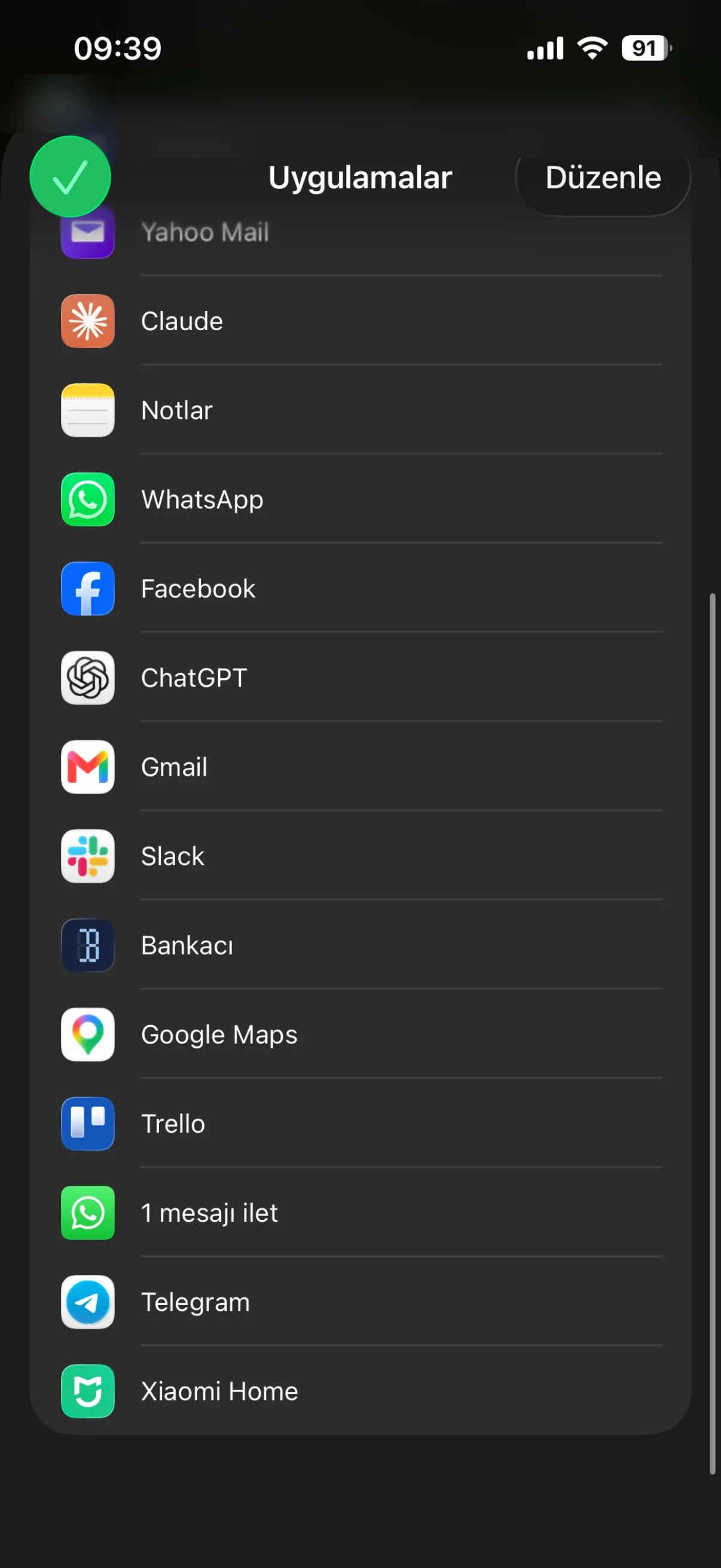
2Pick Bankacı in the share sheet
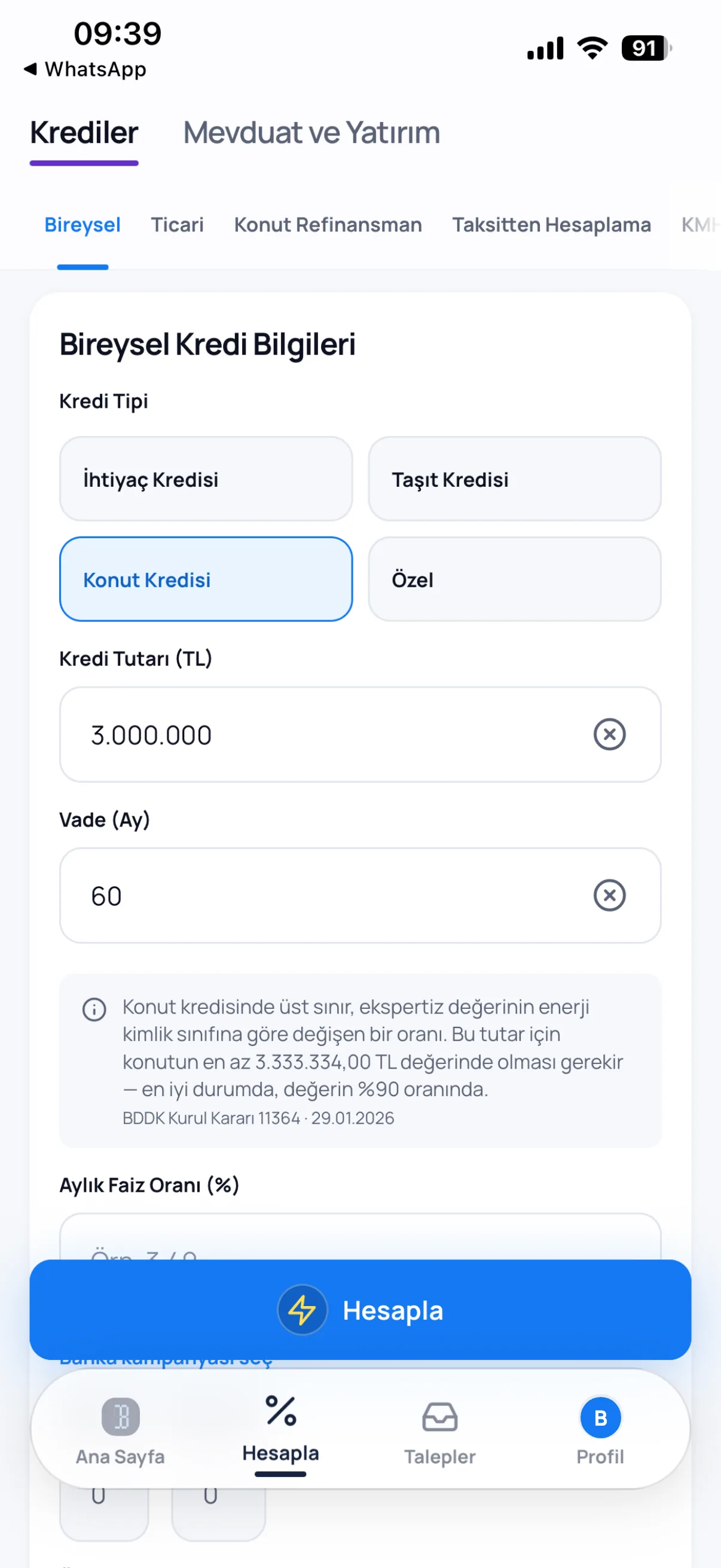
3The calculator opens with the amount and term
How to send it
In WhatsApp, press and hold the message, select one or more messages with More and pick Bankacı from the share button. Bankacı opens by itself and takes the message into Requests › WhatsApp.
What is read
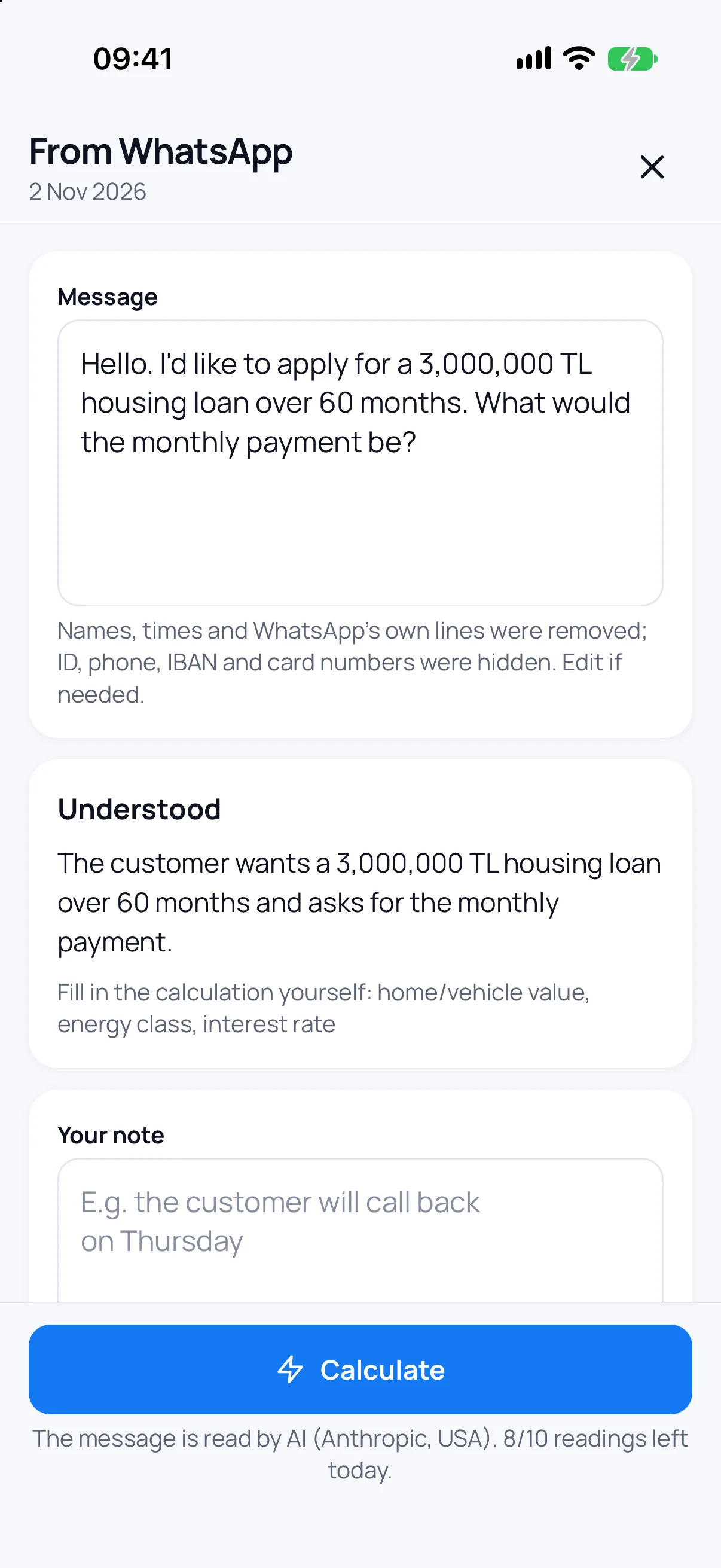
The loan type, amount and term are read, and the rate too if the message gives one. The customer does not need to write a rate; you enter yours. What the message does not say, such as the home's value or energy class, is left to you in the form, and the sheet says which.
Calculate
Calculate, under what was understood, opens the calculator with the message's amount and term and its loan type picked. If the term is over the legal maximum, the form says so at once.
Documents come along
Share a PDF or a photo with the message and the documents come in too; one tap sends them to Document check under Requests.
The customer's details stay on the phone
Names, times and WhatsApp's own lines are removed; ID, phone, IBAN and card numbers are hidden on the phone. The message is read by AI (Anthropic, USA) and not kept. The Requests › WhatsApp list stays on your phone only and is deleted after 60 days or when you sign out.
Frequently asked
Is it free?
No. Bringing in from WhatsApp is part of Bankacı Premium and needs you signed in. Ten messages are read a day.
Can I paste a message I copied?
Yes. Paste it with New in Requests › WhatsApp and tap Read.
Does it work on Android?
Yes. On Android you pick Bankacı from WhatsApp's share list too.
See also: Housing loan calculation · Personal loan calculation · Loan request links · Calculate a loan with Siri

Be ready for your next calculation.
Download Bankacı for free.
 Scan with your phonebankaci.app/indir