PREMIUM
Loan request links
You share a link; the customer fills in the amount, the term and the loan type themselves. Instead of taking notes on the phone, the request is waiting when you open the app.
Updated: 2 November 2026
The link is yours
You create a request link in your own name and share it on WhatsApp, in an e-mail or on your profile. You see how many times it was opened and how many requests came in, and you can switch it off whenever you like.
Requests in one list
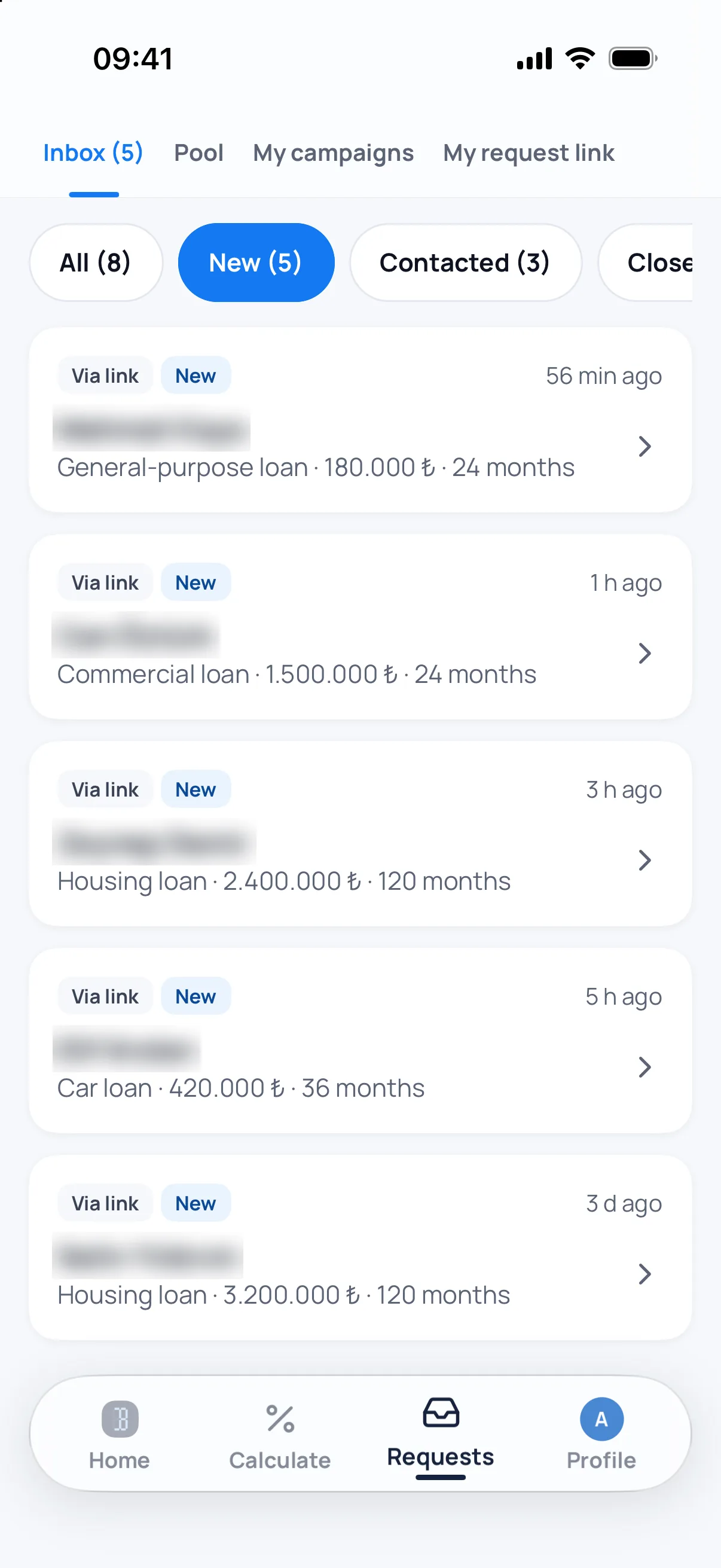
Every request sits in the list with its loan type, amount and term. You mark its state (new, contacted, closed), so you do not have to remember who you have already called back.
You get notified
A new request raises a notification. Notification preferences are managed inside the app: requests, KrediBul and announcements are switched on and off separately.
Frequently asked
Does the customer need an account?
No. Leaving a request needs no account; the customer opens the link and fills in the form.
Is this feature free?
Creating a request link and managing incoming requests needs a signed-in account and Bankacı Premium.
Who else sees the requests?
A request from your own link goes only to you. The marketplace pool is a separate flow.
See also: If you are looking for a loan

Be ready for your next calculation.
Download Bankacı for free.
 Scan with your phonebankaci.app/indir