Shortcuts and the home-screen widget
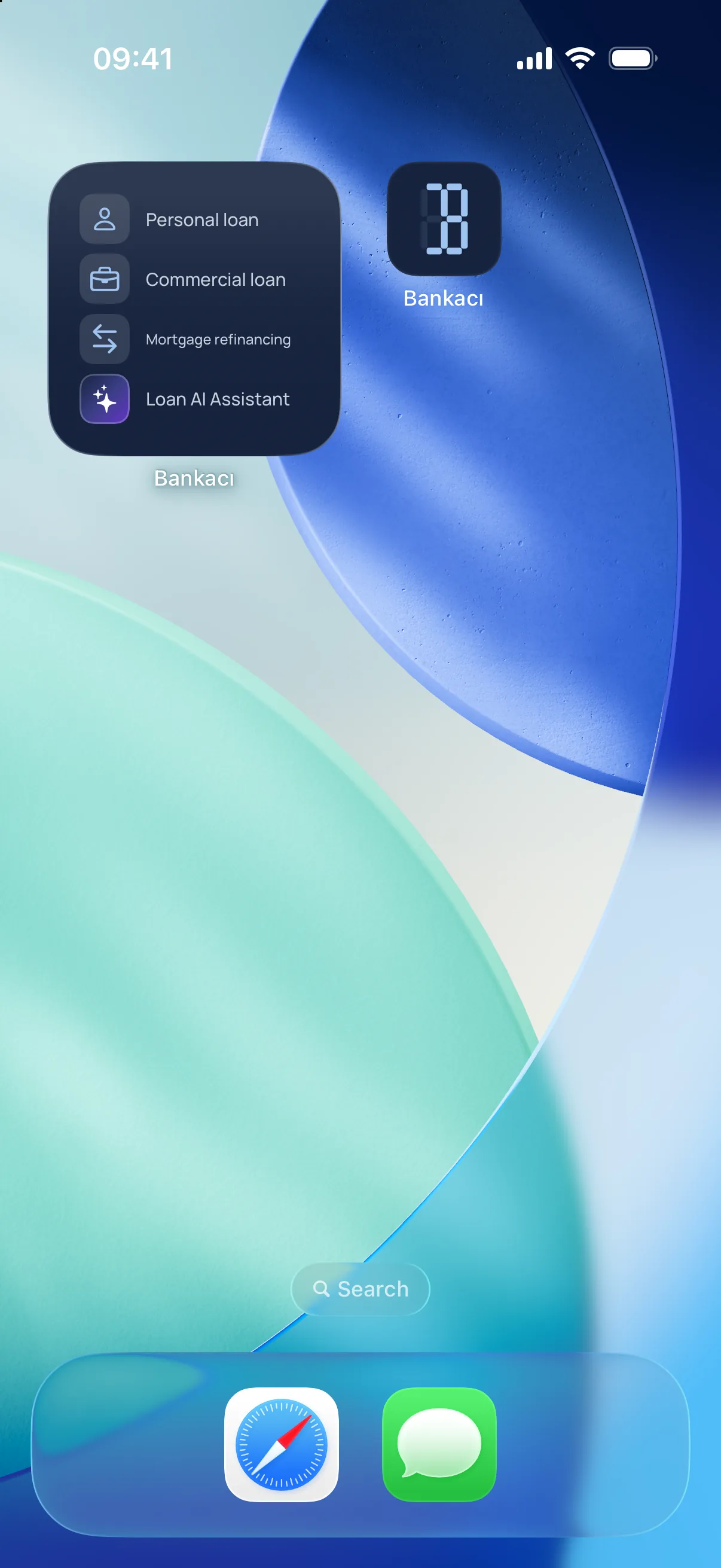
Of the nine calculators, the four you use most sit at the top of the home screen. The same four can go on your phone's home screen too, so one tap lands you in the right calculator without opening the app.
Updated: 2 November 2026
You choose the four
The edit screen lists all nine tools; the chosen four sit on top and are reordered by dragging the handle. To pick a fifth you drop one first; no tile disappears without being asked.
The order carries to the widget
The order you set in the app is the order on the home screen; change one and the other follows.
What the widget shows, and what it never does
Your last calculation's amount, term and type are shown. The monthly instalment and the customer never are: the home screen is what anyone who picks up the phone can see.
iOS and Android
On iOS press and hold an empty spot on the home screen, tap + and search for Bankacı; on Android pick it from the Widgets list. The small size is a four-row list, the medium one four tiles and the last-calculation line.
Frequently asked
Can I add the widget twice?
The app stops offering once a widget is placed. The system allows more than one on the home screen, but both would show the same four shortcuts.
Does the customer's name appear on the widget?
No. Only the calculation's amount, term and type are written to the widget; customer details and the instalment never leave the app.
Can I have more than four shortcuts?
No, four. The widget shows the same four.
See also: Retail loans: personal, vehicle and housing loan calculation · Business loan calculation · Calculate a loan with Siri

Be ready for your next calculation.
Download Bankacı for free.
 Scan with your phonebankaci.app/indir